The FrumFone Waze device
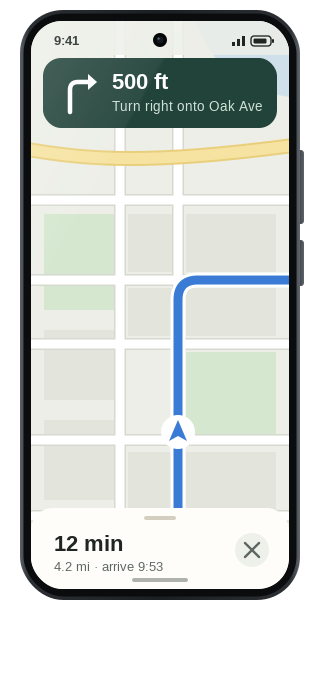
An Android phone for the road: Waze with mobile data, plus the camera and photos. It has no phone calls, web browser or app store. Many people call it a Waze phone.
What’s on it
- Waze, with mobile data for directions and traffic.
- The camera and photos.
What you can add
- Texting. We call that a Waze device plus texting. Calls stay off.
- Email with Gmail.
- Android Auto, so Waze shows on your car’s screen.
- A few other approved apps.
What it can’t do
- Make phone calls. Calls out are blocked. On Android 9 or newer, calls coming in are cut off too, though the phone may ring for a moment first. Emergency calls still work on most phones.
- Browse the web. There’s no web browser.
- Add apps. There’s no app store, and installing is locked: no new apps unless we add them.
Apps you didn’t choose won’t show up or open.
How to get one
- Buy it from us. We supply the phone, set up as a Waze device. Email us and we’ll arrange it.
- Bring your phone to us in Lakewood, New Jersey. Email us to arrange a time, and we set up the Android phone you already have as a Waze device and show you how it works.
- Set it up yourself online. Plug your Android phone into a computer with Chrome or Edge and start with the Waze device. It takes about ten minutes. See the steps.
Limits
- Waze needs mobile data on the road, so the phone needs a plan with data.
- Apps don’t update by themselves while installing is locked. Waze needs a quick update from time to time, and we take care of that.
- A reset from the phone’s recovery menu, using its buttons at power-on, can’t be blocked on any Android phone. With reset protection on, the erased phone can only be set up again by FrumFone. Reset protection needs Google Play services on the phone.
- Older versions of Android can’t lock as much. We tell you what applies to your phone before anything is locked.
Questions
Is a Waze device the same as a Waze phone?
Yes, it’s the same idea: an Android phone with Waze, the camera and photos, and no phone calls, web browser or app store.
Can a Waze device make phone calls?
No. Calls out are blocked, and on Android 9 or newer calls coming in are cut off too. Emergency calls still work on most phones, and for 30 minutes after a call made from the phone, calls can come in, so emergency services can call back.
Can I add texting or email?
Yes. With texting it’s called a Waze device plus texting, and calls stay off. Email with Gmail can be added too, and so can a few other approved apps.
Does a Waze device work with Android Auto?
Yes, Android Auto can be switched on, so Waze shows on your car’s screen. Some phones only have a starter version of Android Auto, and then we add the full app when you bring the phone to us.
Can I turn my own phone into a Waze device?
Most Android phones can: bring it to us, or set it up yourself online in about ten minutes. Waze needs a fairly recent version of Android, and we tell you what applies before anything is locked. iPhones aren’t supported.
The other phones
- Filtered smartphone: a full Android phone with calls, texts and only the apps you approve.
- Flip phone: calls, texts and contacts, with no web browser or app store.